
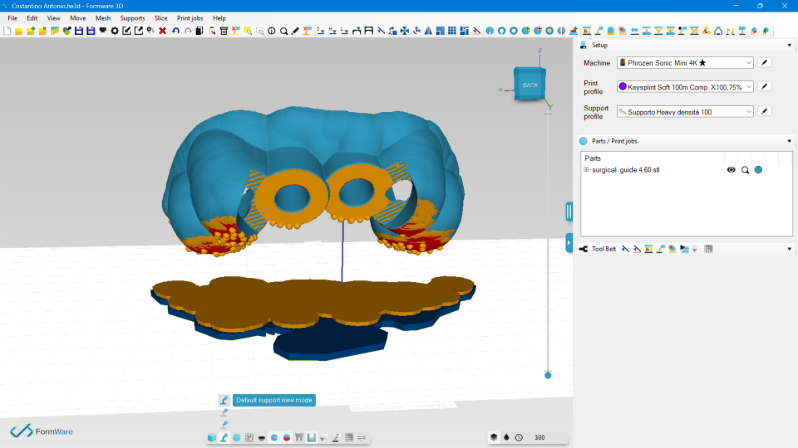
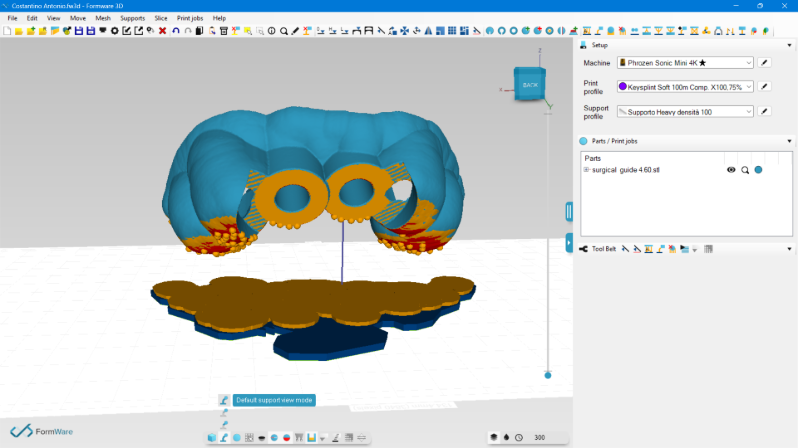
Default support view mode doesn't show the entire supports
Why can’t I see the entire supports anymore (I see points only) in default support view mode?
Thank you!
Hi Marco,
Not sure about this one. It should only hide when you look from the bottom up.
I've tested it here with the release version but can't see an issue at this point.
Perhaps it could also be a gpu issue.
- Try reset the viewport with ctrl+p (perspective) see if that changes.
- Toggle the support view mode doesn't do anything at all?
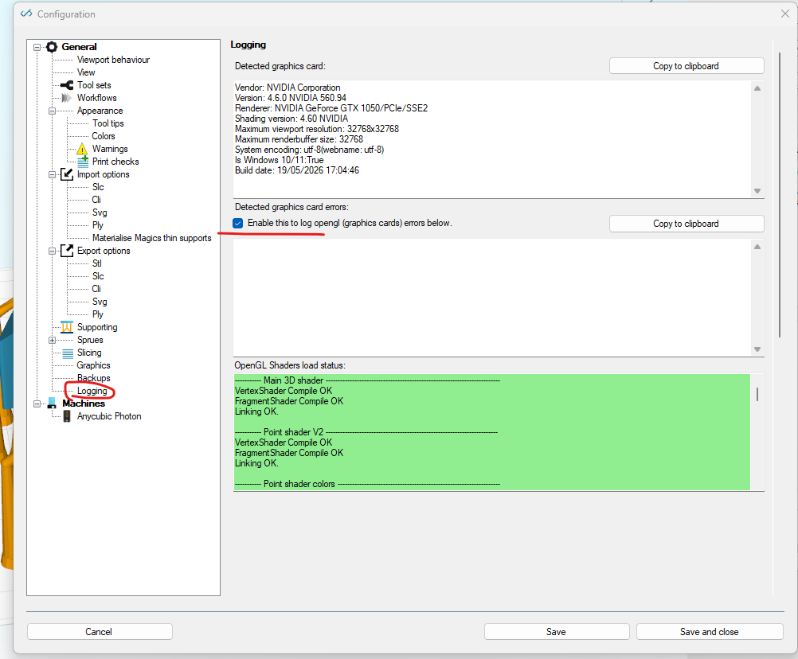
- Please check your opengl logs (screenshot below)
Please save your work as .fw3d project file.
Restart the software and see if the problem persists.
If it persists; please email/wetransfer me the .fw3d file.
kind regards
Elco
Hi,
Neither resetting viewport nor toggling support view mode do anything.
I attached the log. Please note that my notebook has a geforce GTX that doesn't appear in this log.
Thank you for your assistance!
[Upl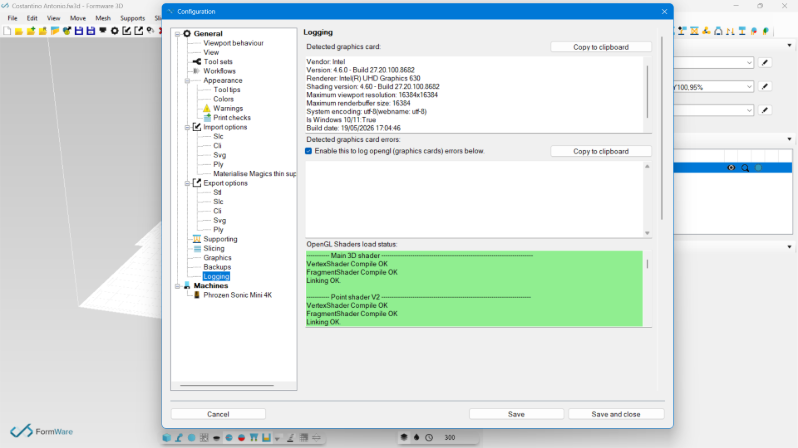
Hi Marco,
I'm a bit in the dark. It looks like the braces and the cylindrical beams are not showing.
a. Have they ever worked on this PC?
b. the laptop has a GTX; but it's not detected by opengl/windows. What you see if what is being used. The software can't choose; it just gets an opengl surface handle from the OS. Is it your primary card on this display?
Just to rule out it's not a setting issue;
- File -> export configuration (save that to desktop or somewhere save). This has all your machine profiles etc.
- File -> reset configuration
Then restart the software.
Or even better, just delete this folder (after backing up your settings in step1)
C:\Users\<yourwinuser>\AppData\Roaming\3D_FORMWARE3D_{741D228E-AC07-40C2-A9DC-560B18A54F03}
kind regards
Elco
I’ve been using Formware on this laptop until yesterday without any problems!
Any idea from this last attachment regarding the two graphics cards installed in?
Thanks again.
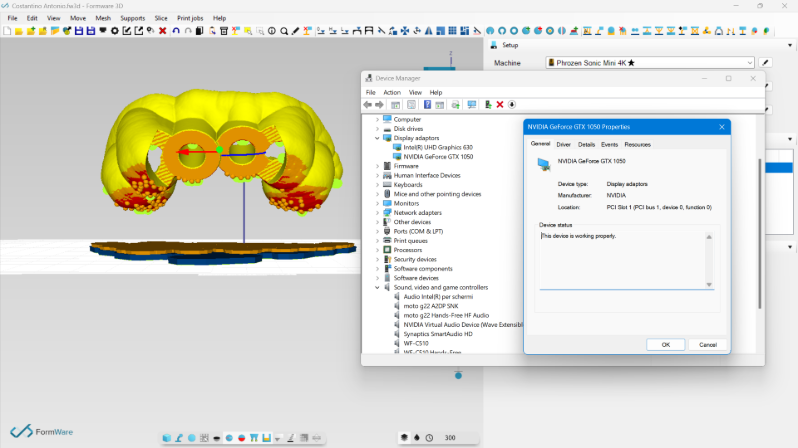
Hi Marco,
- Are you able to place a single support?
- Have you reset the settings like I suggested?
- Are you able to update the intel UHD driver? I checked mine (home PC) and i have a lot higher driver number. Go to tab Drive (in your screenshot) and then just update. It's strange becuase the shaders seem to compile..so usually if it's driver stuff you don't get a green log. But there have been some bugs in older intel drivers every once in a while..
I don't know why your GPU isn't selected. I have never used 2 GPU's.
Did you try this for example?
https://www.digitalcitizen.life/set-default-gpu-windows-11/
kind regards
Elco
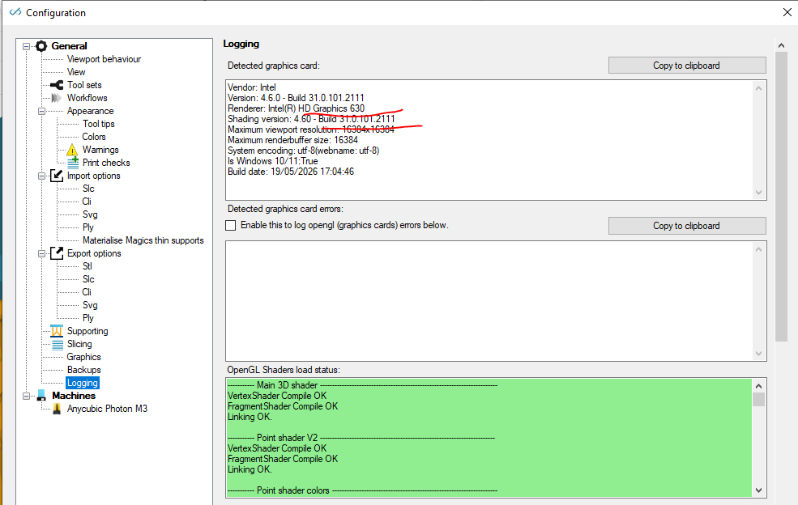
Hi,
yes I have reset without any improvement; and yes, I can add a single support but like the others I can't see the full support. Now I'm updating the Intel graphic card and I'll let you now!
Thanks
Hi,
Another 2 thoughts;
- just to double check; is the diameter of the single/main support columns a valid value like i.e. 1 or 2 mm?
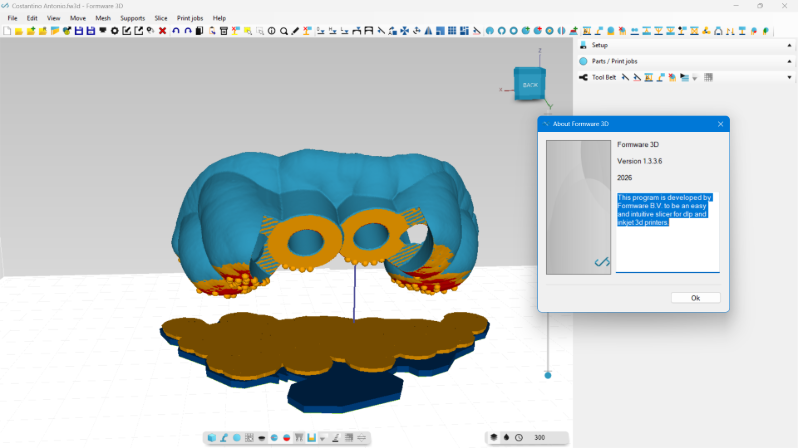
- are you using any kind of remote desktop or virtualization? Somehow your title bar looks different in your window?
What is strange is that it looks like the feet are being displayed as cylinders?
If that is the case; it would be really strange.
Basically all the cylindrical geometry is generated only 1x on the gpu; and it's 'copied' by means of opengl instances.. basically saying to the GPU "draw me a cylinder from point A-> B, C -> D, ... etc.
So if it works for the feet... why not for the beams...
:S
Elco
Hi Elco,
I’ve tried absolutely everything you suggested, but to no result. In desperation, I eventually uninstalled and reinstalled Formware 3D, but still to no results.
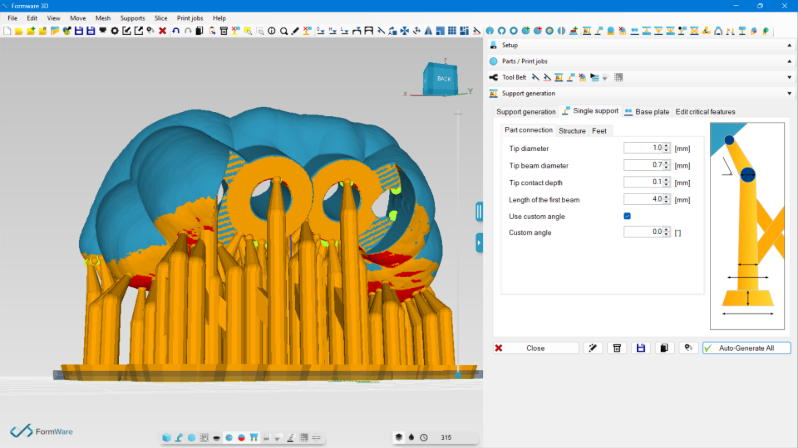
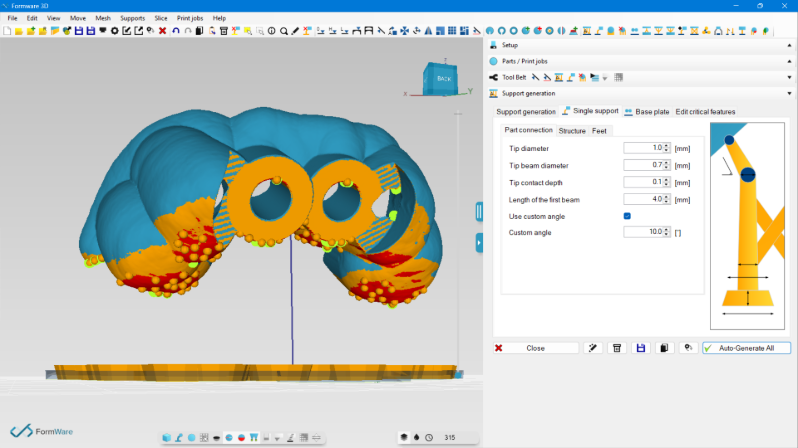
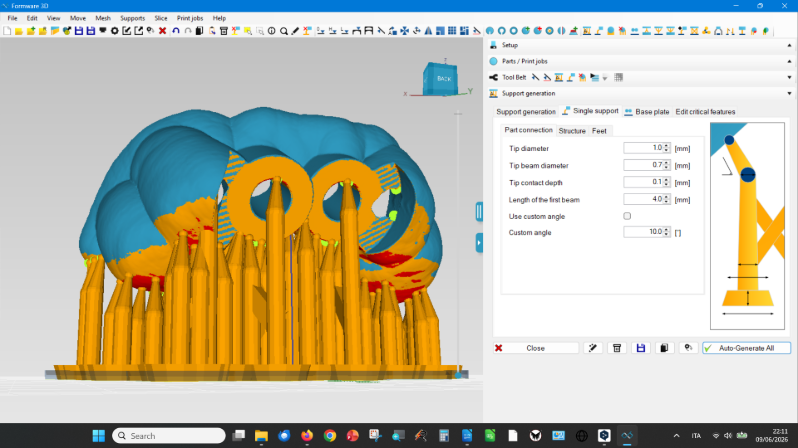
Just a moment ago, by accident, I noticed that the problem occurs when I change the values of the ‘use custom angle’ and ‘custom angle’ commands (see attached photos), apparently at random. It’s really mysterious!
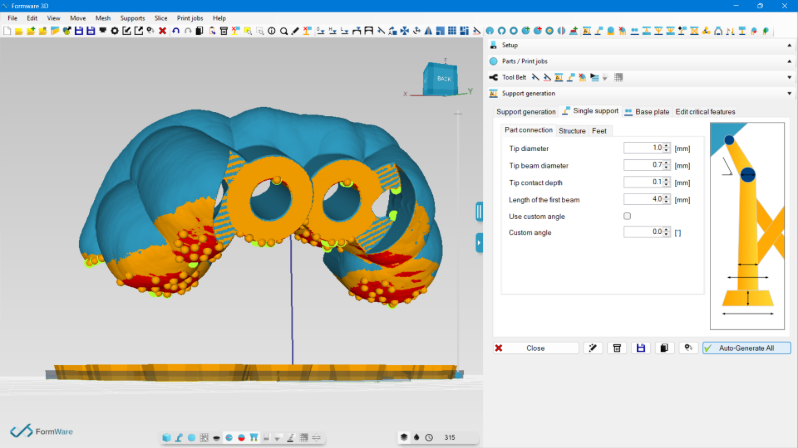
Hi Marco,
Thanks for this! I think you found the issue.
When you put the angle at 0.0deg, it will yield an impossible division probably somewhere in the code.
That will make the geometry dissapear.
It's strange; because i'm pretty sure i made some boundaries for this.. but i'll double check them again for next release.
For now; putting at 1deg will solve it.
Thanks again!
Elco
I found the bug and fixed it.
Also found another small issue with the custom-angle logic.
If you use a larger angle; say 10-30deg, and hover to a face with normal in -x, -y direct, it will take the wrong direction for the support...
Will be there in next release.
kind regards
elco
Elco,
thank you so much for your amazing support – you were incredibly expert, attentive and responsive! It was a great pleasure interacting with you.
Have a good day!