
Missing Layers when bottom layers set to >9
Using latest stable version (1.1.4.5), when setting bottom layers to >9 in slicing settings give a proportional 'empty layers' relating to the number of layers >9. :thinking:
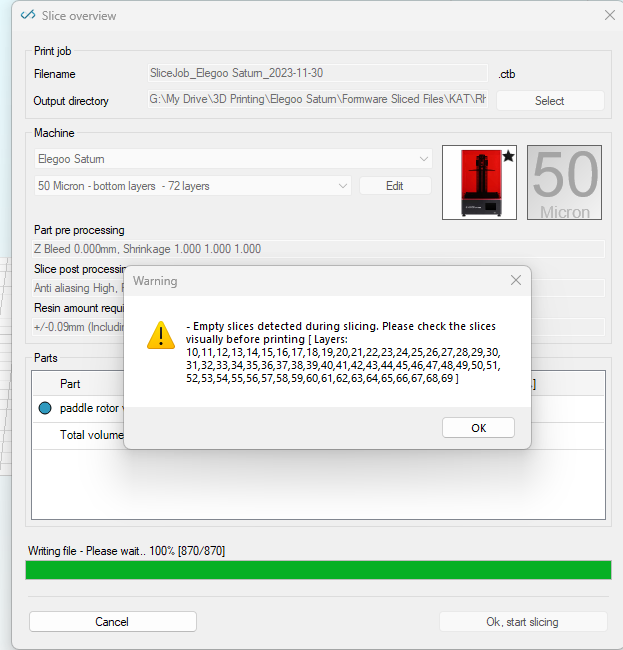
Have checked in slicing viewer and indeed, they are missing.
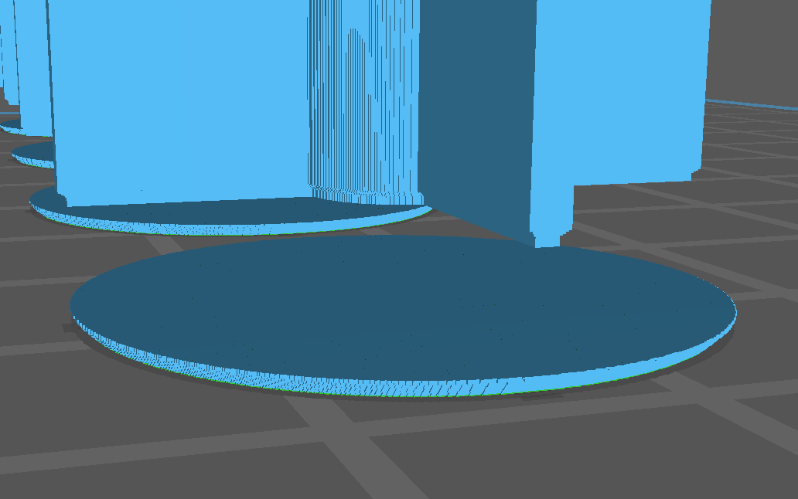
I'm not sure why this is happening but for my project I needed 75 layers to be harder to strengthen a very fine support design.
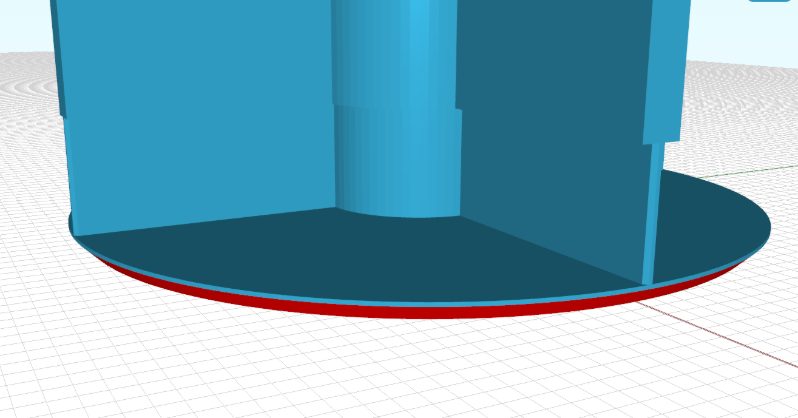
Hello
Just an idea:
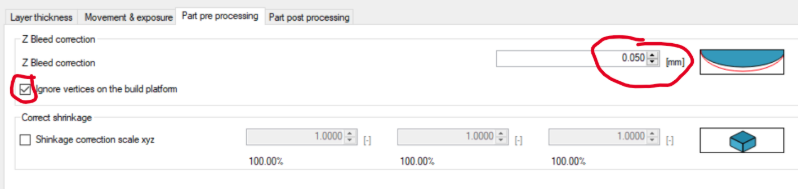
Do you have XY- offset or Z-Bleed correction activated?
I have the feeling that the layers are just missing because they are too small and then
not shown due to a shrinkage or any other correction-operation.

Best regards, Chris
Hi,
It looks from your first screenshot you are not using z-bleed or any shrinkage correction. So that can't be it.
I tried it with a bunny model and 72 bottom layers; could not replicate the issue.
That leads me to suspect it's model related.
The geometry slicing operation is unrelated to bottom layers; only if you have different layer heights different things come into play; but you don't have that i think?
Have you repaired your file?
Have you tried another random file is the problem is the same?
kind regards
Elco
On second thought;
i think it can very well be what Chris mentions; the bottom xy offset removing the entire object if it gets to thin..
kind regards
Elco
Hi Chris & Elco,
Apologies for not getting back here any sooner - I have just taken off my X/Y compensation and sure enough the issues is resolved :face_with_hand_over_mouth:
It now seems obvious! But thank you for being so swift and diligent in answering my query. :partying_face:
Appreciate the support, one of the reasons why this is must-have slicing software!
Best regards
Frankie