
Phrozen Shuffle Printer add on- Machines
hi guys, wonder if anyone had a custom profile already to import
hi lordlocotx,
It's still on my list to add one.
I just had a look at the Shuffle manual; it looks like they accept:
- stl file
- slc file (old format but apparently still used)
- zip (do you know if this is png's?)
I will add the machine with the dimensions in the next build of Formware3D.
It will most probably also contain a .slc slicer
Elco
There is a profile available in the Shuffle Facebook forums files sections.
The zip files do contain png's.
We've published a version (1.0.2.3) that has the shuffle and shuffle XL machine build in.
Also there is a direct export now to NanoDLP based machines. (like shuffle).
Would be great if someone could test the direct connection as well. It sends STL/SLC or PNG directly to your printer's IP address.
[quote="formware, post:5, topic:18"]
Would be great if someone could test the direct connection as well
[/quote]
this is a great news. I have both a Phozen Shuffle and a Peopoly Moai, I'm going to make some tests in the coming days.
I just tried the direct upload to NanoDLP. It kinda works... The shuffle is correctly detected and the files are uploaded, but as soon as the transfer is finished I lose wireless connection to the printer. It's like the transfer jammed the connection somehow.
I can still operate the printer from the touch screen, so it seems something specific to the wireless connection. I don't know if this was a one-off glitch or it happens all the times. I'll try again as soon as the current print is done.
Thanks again and keep up the good work!
mm it shouldn't close it.
I had a problem with the Upload last week with another user that was using a taiwanese version of windows. Apparently they use a special kind of character encoding known as Big5.
So my HTTP POST call to upload the file to the NanoDLP machine was in the wrong encoding (i used windows default). We got it to work by fixing the encoding to Iso88591 in the upload. (as per HTTP standard btw)
But he didn't get anything across the line; so i guess this is not your problem.
Maybe it's the wifi?
The call made is a 'simple' HTTP POST web call. Nothing more.
Any errors are displayed in the upload window i think; below the resin-profile selection. Maybe you spot something.
okay tried again today and it seems the wireless connection is not very stable in general. This time I had to hard-reboot the shuffle because it was unresponsive after the transfer.
I interrupted the transfer and formware crashed, this is pretty consistent I believe you can easily replicate. But in general I'd say that wi-fi is not reliable on the shuffle/nanodlp side (more than formware I believe). Not a big deal.
Is it just me or it is not possible to transfer zipped PNGs?
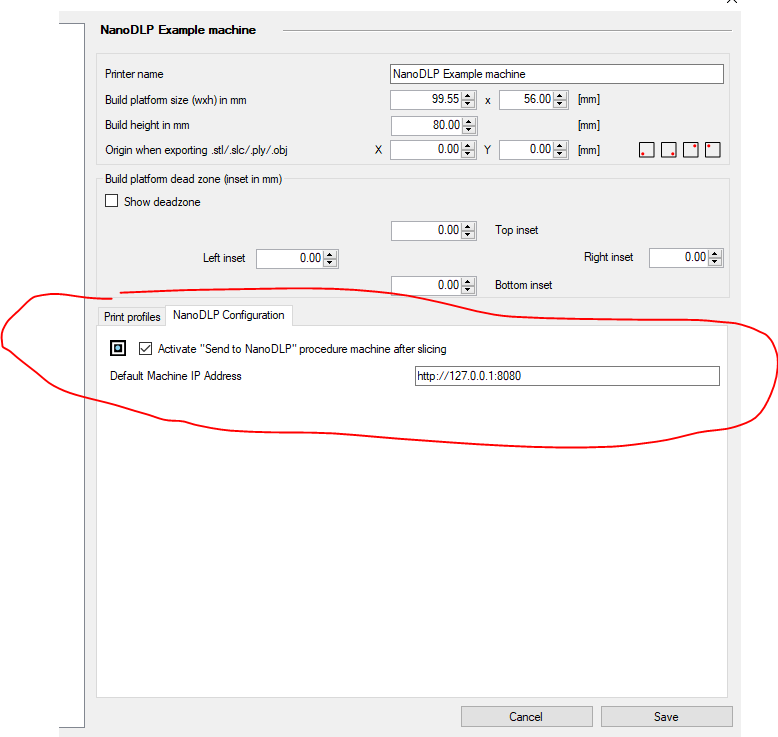
Also, would be nice to setup the machine IP address directly in the profile.
Cheers!
Ok thanks for the info.
To be able to upload .png's you need to slice first.
There is a setting in the machine config to show the nanodlp upload popup after slicing.
If you do this it will automatically load your .zip file and you can upload
maybe i need to make an extra 'browse' button to select a zipfile... just thought it was easier when done automatically after slicing to it couldn't go wrong :D
add on; the IP Address can be saved in the machine. (not the print profile)
Hello
I just got the new Shuffle 2019 XL, and I cannot get direct connection for printing upload.
The IP-address is 192.168.0.78, and connection by LAN. Connection by WIFI is the same problem.
When I use http://192.168.0.78 I get a 404 - When I use http://192.168.0.78:8080 I get a refused connection error.
Anyone have an idea, if they changed something to the nano-dlp software? It now has some fancy pictured
self-made version of Nano-dlp with almost no settings.
Some help is highly appreciated, as direct connection works with my other printers using nano-dlp directly with
raspberry.
Best regards, Chris
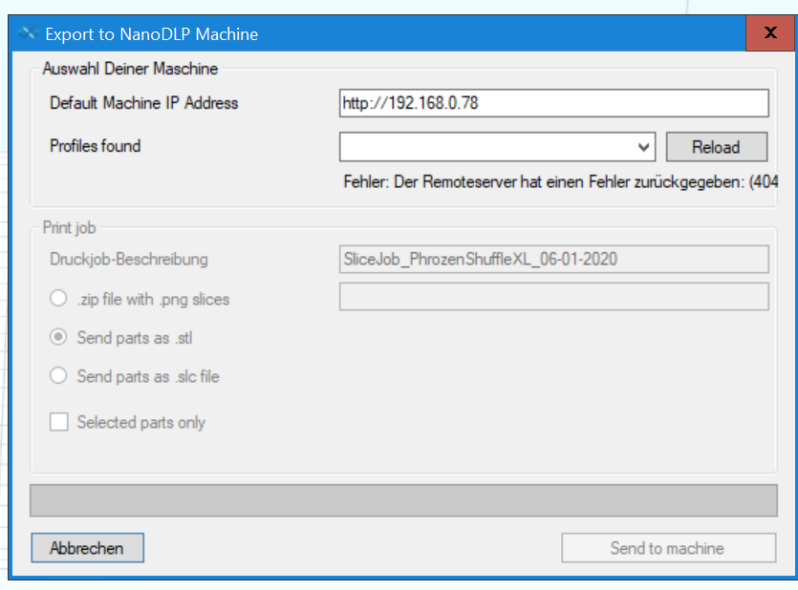
as I can only post one picture, here is the other ones:
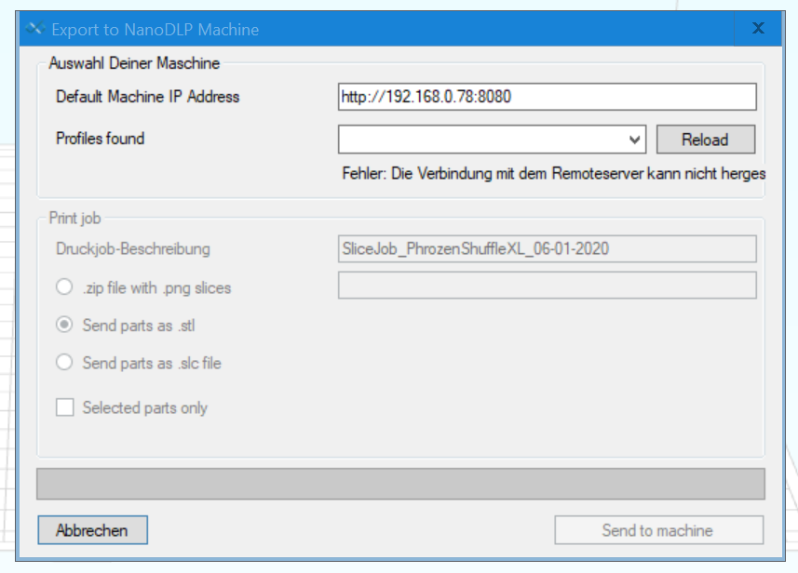
last one:
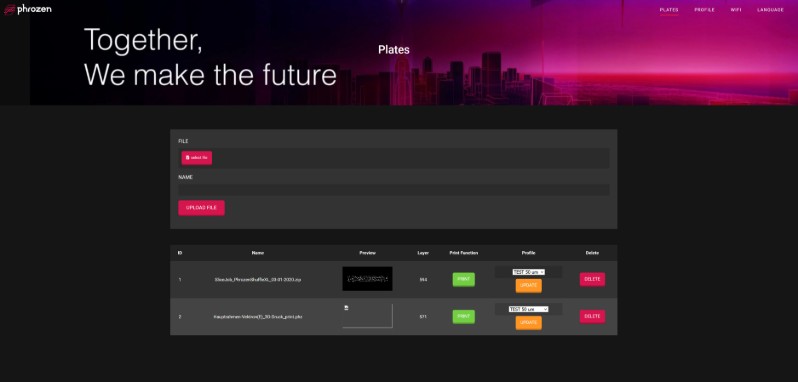
Hi,
Direct upload to Phrozen machines is currently not supported yet.
The format is a little different than nanodlp upload under the hood.
We are working on it as I typ and i hope it will be available along next week.
Elco
Hello Elco
Is there news on this upload problem to the new phrozen machines?
Hope there are no bigger problems on this.....
Best regards, Chris
Hi,
Yes this is ready (a new httpupload function) and will be in the next release.
Hope to finish it up tomorrow; otherwise it will be in 1-1.5week.
kind regards,
Elco
Hi,
great News, thanks
Best regards, Chris
This feature has been released in both OEM version for Phrozen and Formware version. It's called 'http upload'.
When the machines from Phrozen are added all settings are set correctly to connect directly to their machines.
Elco