Saturn 4 Ultra Problem - I am looking to buy the software
Hi i intent to buy the software. i liked that i can use in lot of printers and the support its serious. so that help me.. I am having problem to FIND and CONNECT with my Saturn 4 ULTRA my ip is 192.168.15.2.. i only can upload for my lucky manualy adding the ip.. can you please fix that.. I Had some problems with slower printspeed and adesion of support in some parts of the print a bit strange..
I think the saturn 4 ultra zlift distance its 0
Hi Jose,
So you are saying the 'find printer' doesn't work for you?
kind regards
Elco
Dont work, and i cant list files. can i have you whatsapp or discorg group so we can talk.
the only thing i can do its upload. only upload.
Hi Jose,
Ok. And the uploaded file it does work?
The printer will arrive latest wednesday; then i'll have a look and report right back.
Elco
Shipment is delayed... i'll report as soon as i have it but i think it's going to be next week. Seems it didn't leave the warehouse in austria.
please add more evaluation time to my account. i need test more. i had a lot of problems printing with saturn 4 ultra... u used like 1 kg of resin.. not joke... i still checking if its problm from softwares
Hi Jose,
Can you send us an email about this?
I've only just received the saturn 4 ultra machine today. The package was delayed for 1.5 weeks.. it happens..
I'll have a look at tuesday at why this communication is not going smoothly and report back then.
kind regards
Elco
Hi Jose,
We've received our saturn 4 ultra. But it looks to me like it's working as our previous printer based on this hardware.
the machine is found when connected in the same wifi network as the pc.
You can upload; view files and start a print.
Also the camera works if you turn it on.
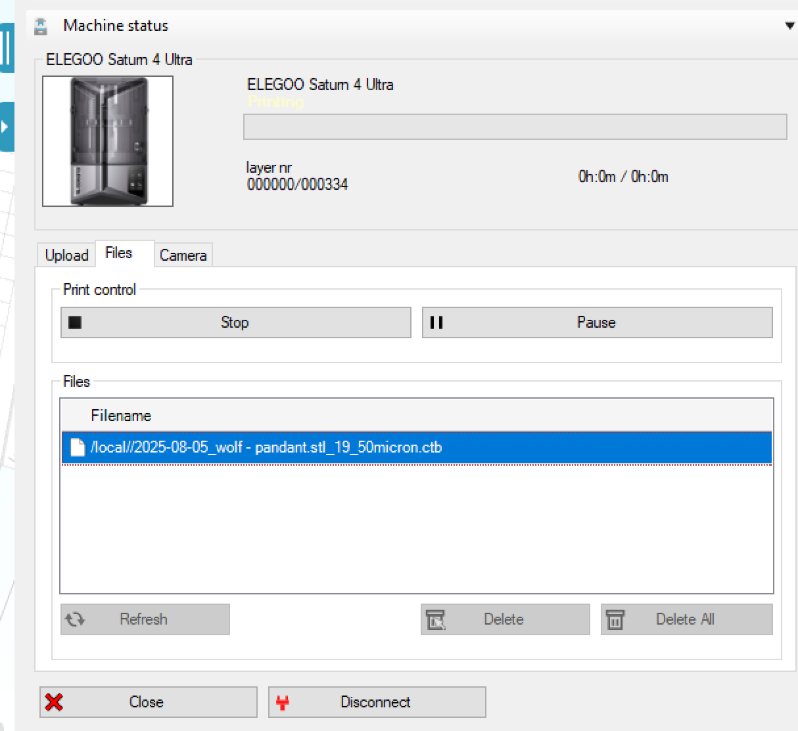
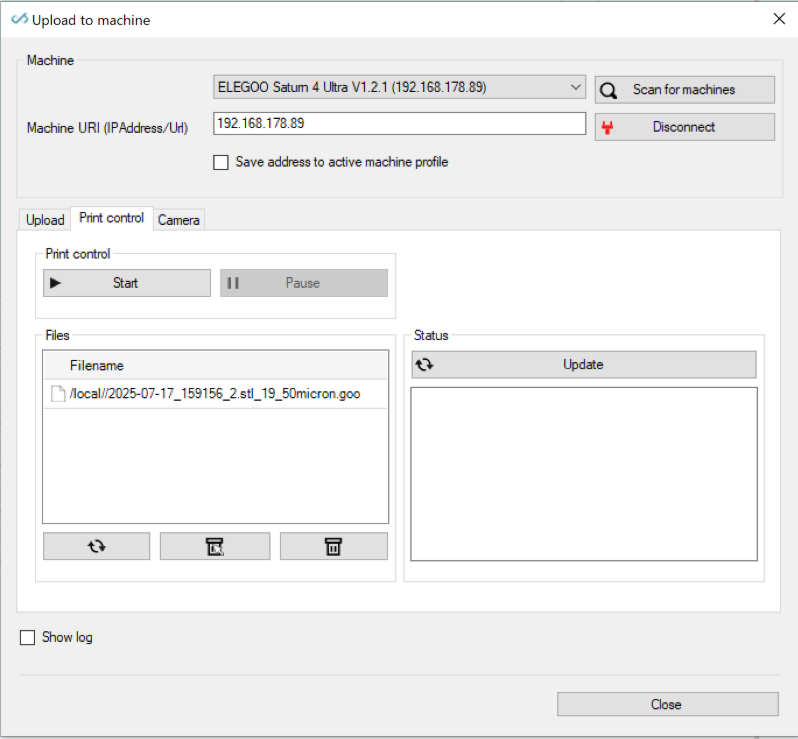
The screenshot below is from slice->upload to printer.
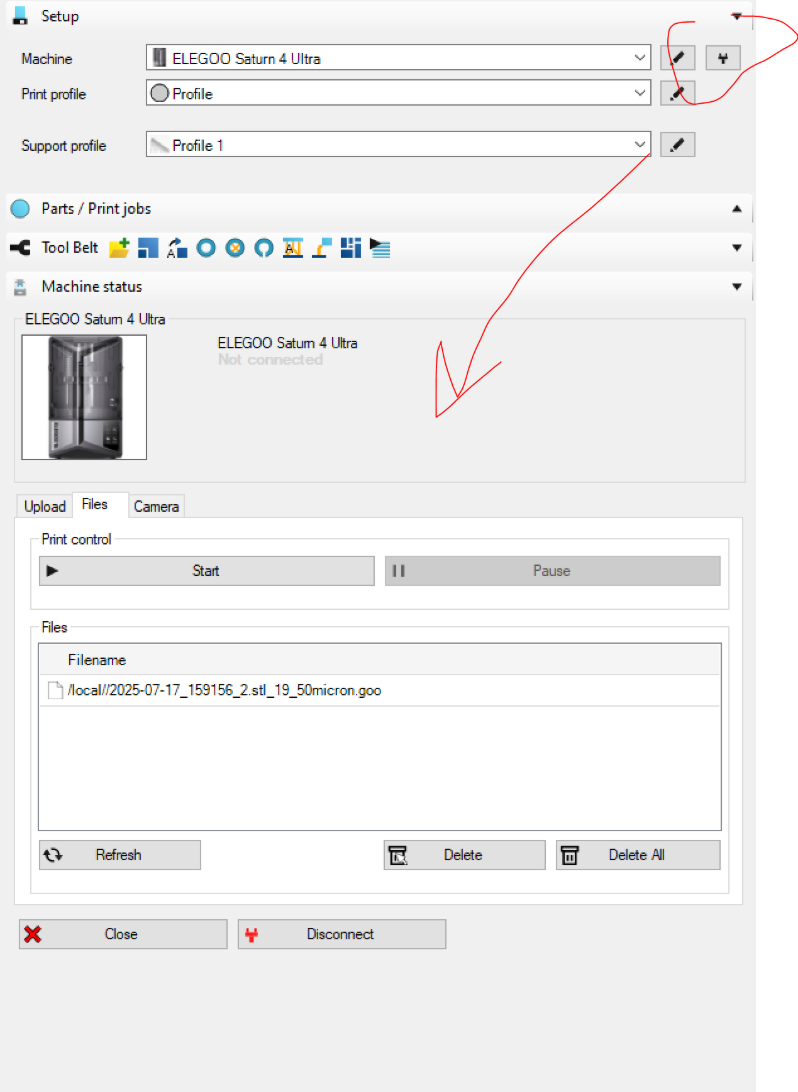
But you can also click the connect icon next to the printer selection; then it will show you the machine status tool. (last screenshot below).
When you find the printer; then you just click 'connect'. It should look for and find the printer automatically. But truth be told; the UDP protocol, that is used for this, has a lot of downsides.
can you share some screenshots of what you find?
kind regards
Elco
i am not in brasil. Monday i ll try and check
add more test days for me pls. my email is josearthurgerdes@gmail.com
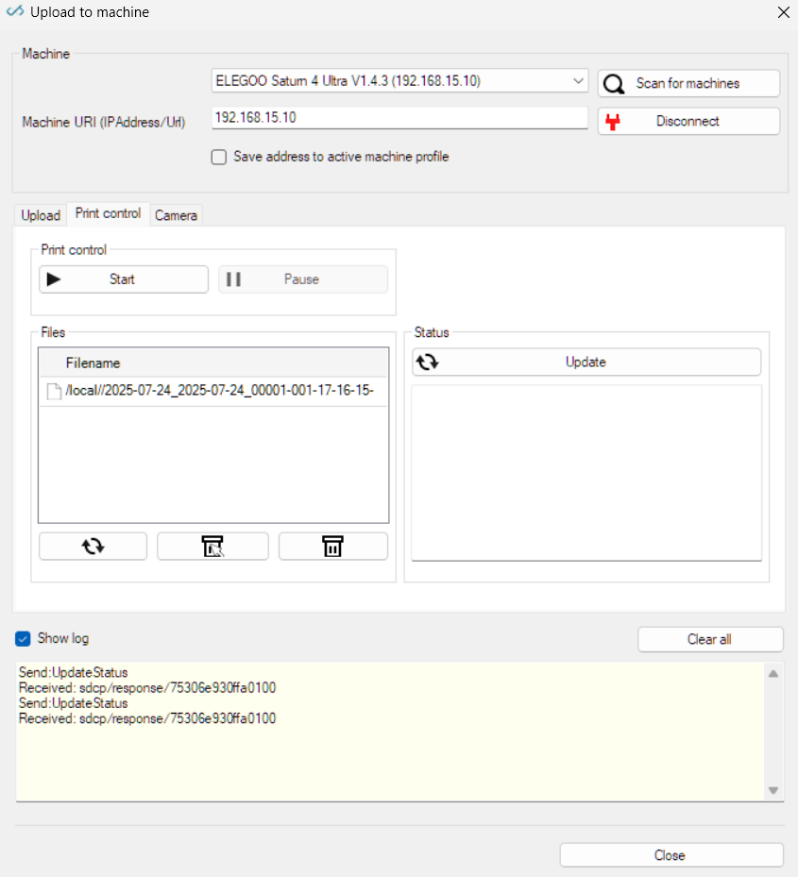
try update your printer. my ip its 192.168.15.100 15 may be a problem ?
 Subject: Partial Success After Update – Need Option to Disable Z-Lift on Saturn 4 Ultra + Print/Status Issues
Dear FW3D FLYSER Support Team,
After updating my printer with the latest firmware, I encountered several issues. That said, I recently managed to complete a successful print with optimized speed settings — the job took around 40 minutes.
However, there are still key problems preventing consistent and reliable use of the software:
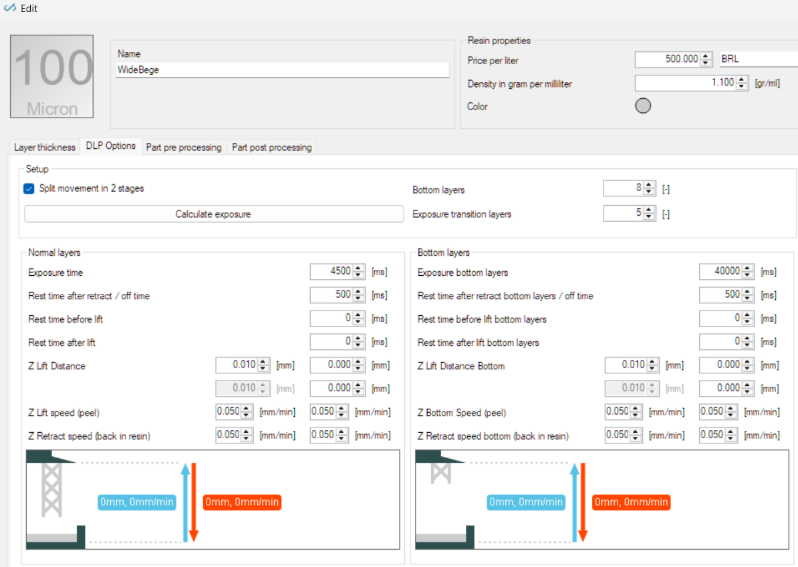
- Z-Lift cannot be disabled – On the Saturn 4 Ultra, Z-lift is not required due to its hardware design. However, FW3D FLYSER does not allow me to fully disable the Z-lift between layers. Even setting it to the minimum value (0.010 mm) still introduces unwanted movements. This has directly contributed to failed prints and unnecessary resin loss. I need the option to set Z-lift to 0 or disable it entirely.
- Print not starting – Even though the file loads correctly in the system, the printer sometimes fails to begin printing after the update. This issue does not happen with other slicers or GitHub-based systems, which suggests a software-level bug in FW3D FLYSER.
- Status not updating – The software interface does not show real-time updates of the print status, which makes it hard to track progress or diagnose issues mid-print.
I’ve already lost around 2–3 kg of resin trying to troubleshoot these problems. I’m currently evaluating the software before purchasing, and I need to ensure these issues can be addressed.
Could you please confirm:
- If full Z-lift deactivation will be supported on Saturn 4 Ultra;
- If fixes are planned for the print initiation and status update issues.
Thank you for your attention and support.
Best regards,
Dr. José Arthur Gerdes
Hi Jose,
- Z Lift -> so you need the value to be exactly 0 ? I'll check the print files. Naturally we block filling in 0 exactly as it makes no sense. It seems strange to me you would design a printer that only accepts 0 as value when the printer wants to control the entire seperation.. there's always something.
- Print not starting -> i have no clue. I tried a couple of prints; it seemed to run fine with our in office machine.
Anything particular on your files that is different?
- It should show print status but i'll double check it.
kind regards
Elco
This machine dont change zlift, the vat go down every tive the same distance. that its important because the machine dont loose the Zheigh. if you keep moving the heigh the quality get worst i dont know why.
i ll check logs to see if we find out why not starting.
Hi Jose,
I double checked the file format. It seems the machine was on .goo file.
I've changed that to .ctb_sdk and turned of the 2-stage lift movements in the profile online.
If you do both these things (or just download the machine from our online database in the software) then the lift problems will be gone. Saturn 4 Ultra (16k) need very specific values for some distances; namely all 0.05 and others all 0. I've set these correctly in the .ctb output in the last update. But apparently forgot to do the .goo file. Functionally these files have no difference. It's just the same.
So that solves 1.).
Hopefully it also solves 2.).
3.) needs an update from our side; but should be minor so i will take this along in our next update cycle.
kind regards
Elco
Hi Jose,
I've found the cause of the other problem; see my other post
http://forum.formware.co/t/wireless-printing-with-saturn-4-ultra/1516/19
Second; the software does report status of printjobs when it's running correctly and status of the machine gets through (see other post). I forgot i added that.
kind regards
Elco