
Saveguard support and print settings?
Hi,
Is there a way to saveguard support settings to be overwritten?
I noticed that some of my colleagues occasionally overwrite the production settings I've developed for our 3dprint department.
I did save them out as separate files, so i can restore them, but I would like to prevent the settings to be overwritten in the next time I boot up the program.
I'm fine with being able to change values on a case to case basis, but I do not want them to be permanently overwritten so the in next Formware session, you inadvertently start with the wrong settings.
the same applies for the print/resin settings, although there is far less risk there, cause ppl usually do not fiddle with the resin settings
From experience, i know this will end up with a production error, some day...
So it would be good to have the "default" settings protected....
Hi GVDP,
So in general not yet.
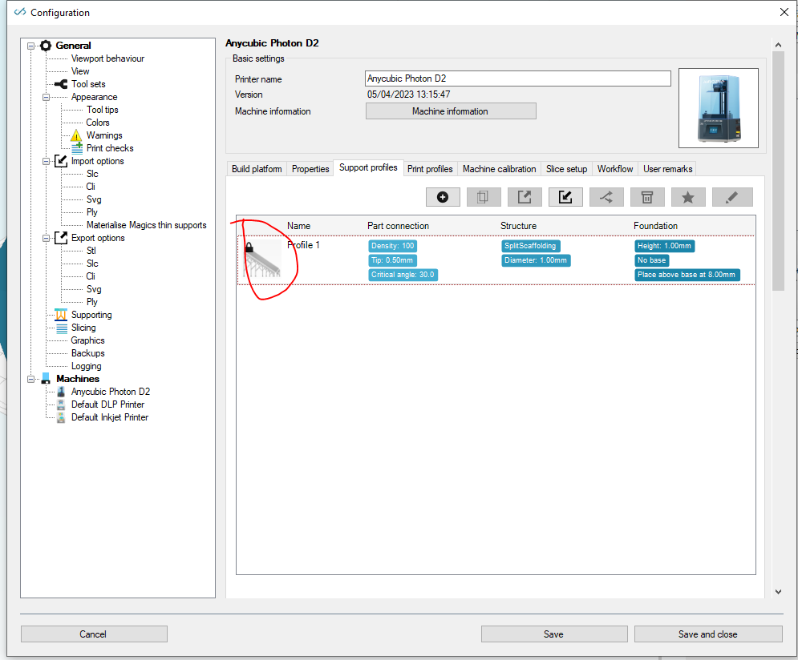
We do have functionality in there to lock support/print profiles. But this is on a 'machine manufacturer' level. Which our white label clients can do in their backend portal.
If you want you could 'hack' your way in there: in the settings xml you can find a SLocked toggle on the support profiles. (PLocked) for print. Since Formware3d xml's settings are not encrypted you could put these switched to 'true'.
But be aware; this will lock all functionality in the software.. so you can't change the settings yourself either.
A less invasive thing is perhaps to make sure this switch is unchecked:
But please make sure you have this checkbox unchecked: 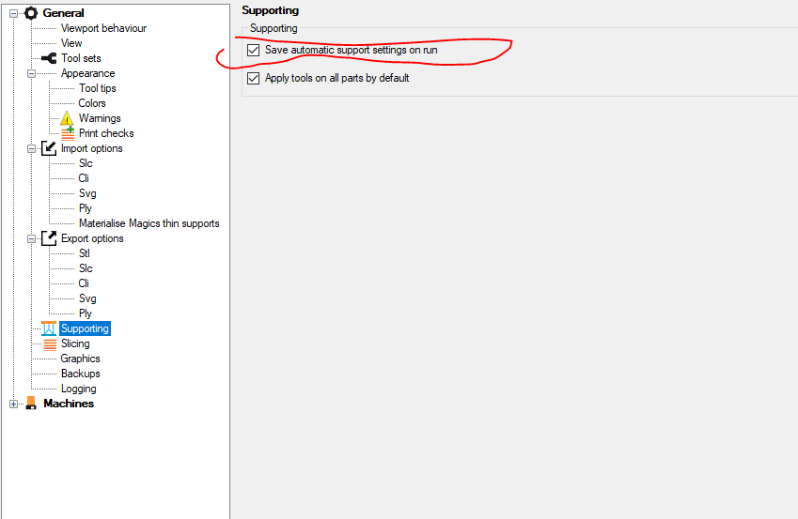
kind regards
Elco