
Ver 1.3.3.6 Support Issues with Brace, custom angles, single, basic & Lattice support
Hi
I have found a few issue on the items in the subject. I will try and detail them as follows:
1) Brace selection
This only seems to work for Single Supports, for Basic or lattice supports the braces are always there irrespective of the selection.
2) Single Support
Setting the "use custom angle" button causes the top arm to use the required angle but only in the x-axis. On the y-axis it always comes from one direction even if that means coming from the inside of the surface.
3) I often use "basic support" to replace the "internal small prop". This is because its hard to see where the prop must connect down to to remain vertical. Could the Internal small prop be given a "guide" of a vertical ghost line during placement so you can see where the point directly underneath the top point is located for ease of assuring the line is a vertical as possible after placing both lines. This should be a guide only and not force a vertical alignment.
Thankyou
Kind Regards
David Thorpe
Hi,
- I'm not exactly sure what you mean?
- This was fixed in our devleopment version. But thanks for reporting it again.
- Yes great idea thanks. Ill add it to our short term todo list.
kind regards
Elco
Hi Elco
Thank you for the response.
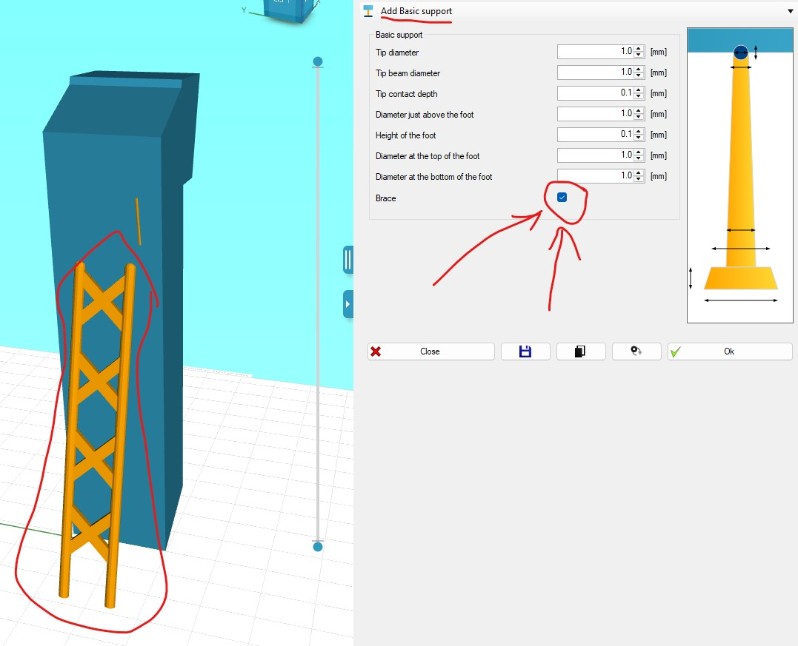
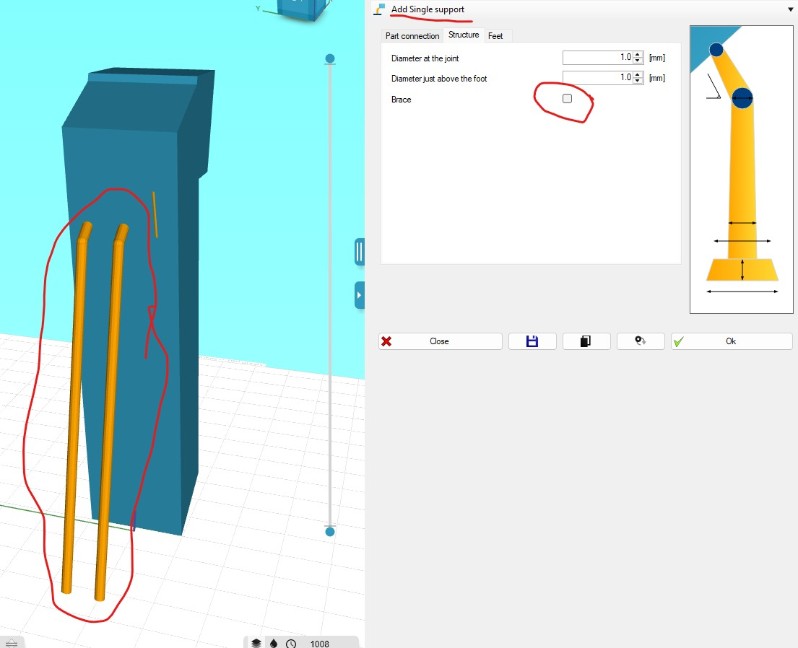
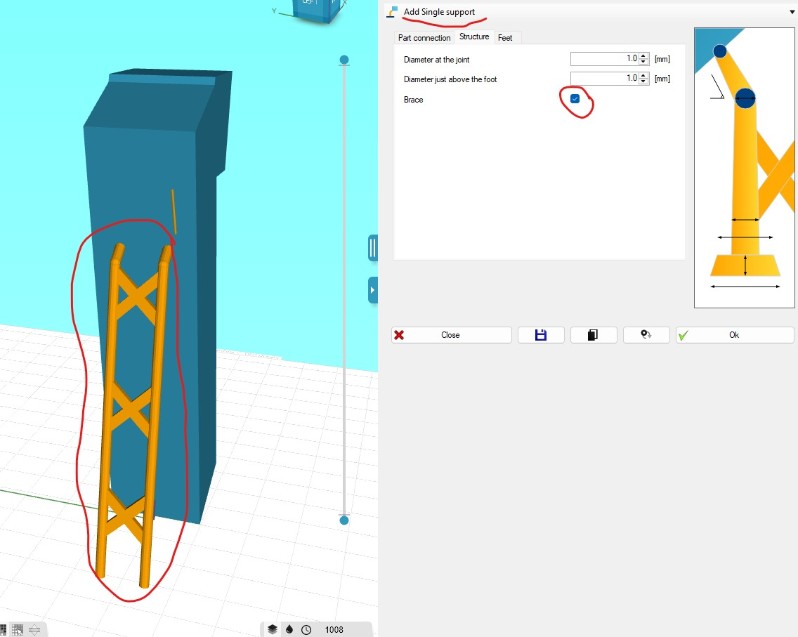
- I have taken 4 screen shots to show the situation when using "Single Supports" and "Basic Supports". For "Single supports" you can see that the selection of the switch "Brace" causes the cross braces between two or more single supports to be present. How ever if you deselect the "Brace" switch, The cross braces go away.
If you look at the same two pictures but this time for "Basic Supports". You can see that it does not matter if you select or deselect the "Brace" option, The cross braces are always there.
- I am assuming that your second response (since all your responses are labelled "1.") is about the "use custom angle option". With respect, I dont mean to be argumentative here, but if the issue has been fixed in development, why is it still in the latest version of software which I have?
- Thankyou with gratitude for your consideration of possibly adding a "guide" for the placement of "Internal support" points.
Kind Regards
David Thorpe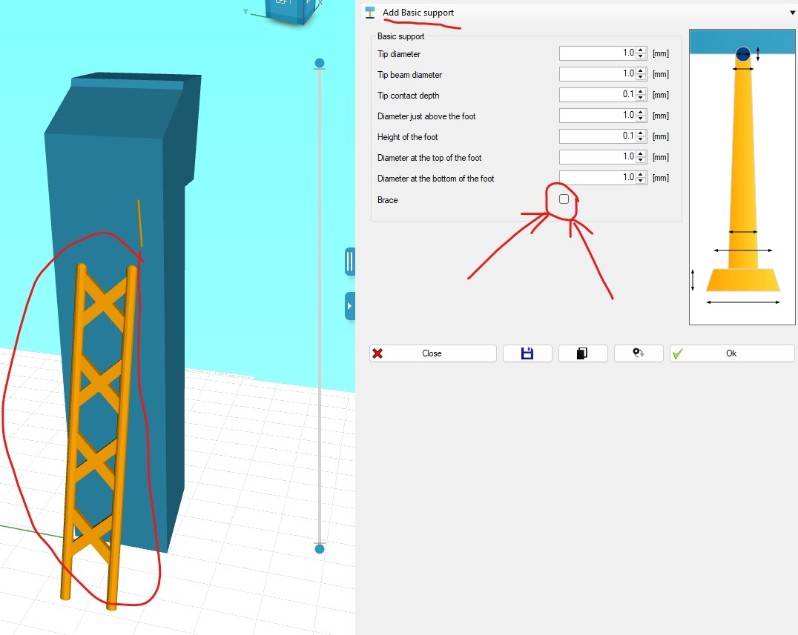
Hi David,
Yes sorry i'm still getting used to my own forum numbering.
- I see; the checkbox is not working. I will check it upcoming week.
- Development version > I ment in our current live version it's not there yet; but I have fixed the issue already in our next to be released (development)
kind regards
Elco
Hi Elco
Thank you very much, I appreciate your efforts and response.
Kind Regards'
David Thorpe
Hi David,
- I fixed the bracing bug. Additionally also added the checkbox to the tree-support. That was another request made in the same factory.
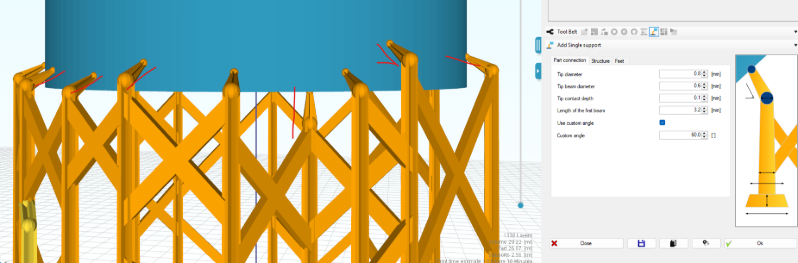
- double checked I indeed fixed the custom angle thing already. Screenshot below for a round part. If you click a face that is (near) horizontal; it will just place a vertical support down. As in that case it would not know which direction to face.. seemed most logical to me.
- I've added a vertical helper line for both small props and internal support.
It will be there in next release in 2-4 weeks.
kind regards
Elco
Elco
You are just the best! Those repairs and features are incredibly useful and worthwhile to me.
Thank you, Thank you, Thank you !!!
Regards
David