
Recently decided to update to most current version.
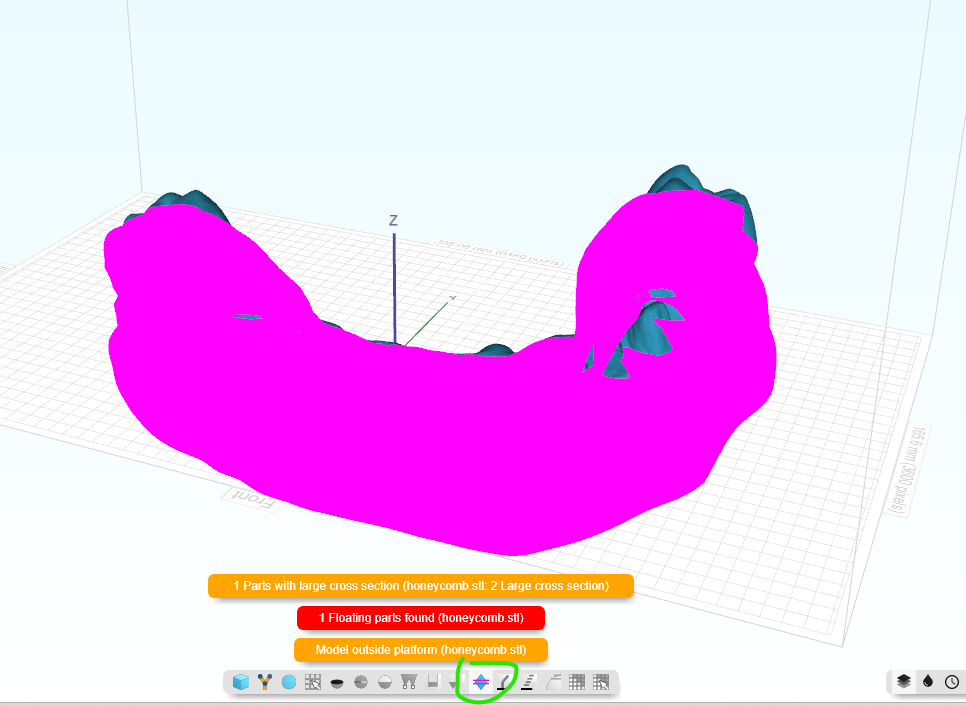
Ever since at least 50% of the parts appear washed out in pink. I cant even see simple large features on parts, its like a solid flood of color. Trying to see anything for support is near impossible.
Tried restarting my computer to remedy, but didnt fix it.
Not sure if somehow a setting was messed with, but the parts are all being generated the same and havent had this issue for almost 7 years of using Formware3D.
I am hoping its just a setting.
Any help is greatly appreciated!
James
Parts washed out with pink after software update
Jimmygunz
#1
formware
#2
Hi James,
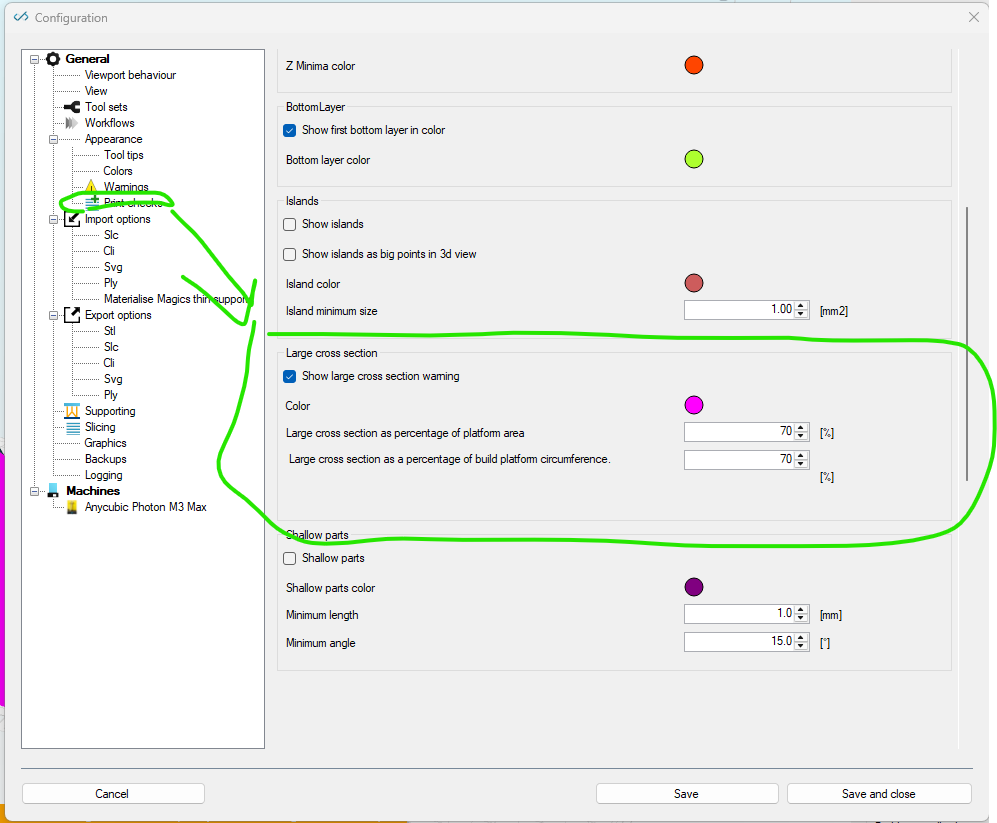
Yes that’s most likely a setting for large cross sections.
You can find it under print checks in the config.
Perhaps I should turn it off by default… as it’s confusing more than it yields
kind regards
Elco
Jimmygunz
#3
Elco,
Thank you for the rapid response.
I will do that.
At first I was concerned my parts were having mesh issues… I forgot I did an update and is when it started.
Additionally,
1 request for update or maybe it is a setting toggle?
Is it possible for saved projects to retain the resin profile it was saved with? Or what do you suggest?
Is there another section in the forums that I should be posting this to? Like a suggestion thread?
Thank you in advance,
And thank you for your great software, hard work, and continued support!
James Gunzel
formware
#4
Hi James,
Regarding the save printprofiles/machines:
it’s a features asked a lot and still on my todo list for project files.
I did make a start with that last year by giving each printprofile a unique key.
the challenge is a bit how to match the machines/profiles over different computers. As they have unique IDs as soon as you download them. So you need a secondary thing like a unique key to match them. Or on name… but that’s a bit unreliable either.
Of course if you always have 1 computer with everything the same it could just work.
to be continued…
Elco