
Hi,
I have just got everything reinstalled after a pc rebuild - mentioning this because a. I’m not sure what my previous version was and b. I’ve had to recreate my print profiles.
Current version is 1220, printer profile is Phrozen Sonic Mini 8K S
I’ve made one copy of the default resin profile, for Phrozen Protowhite, adjusted it for recommended settings, and when I run it on the printer it lowers to the point where it slows down, than goes slowly down way too far. I don’t know how far down it wants to go, but it’s a long way - I’ve tried it with the build plate off and it just keeps on going. Obviously the (.prz) file is gobbledegook rather than gcode so no clues there for a mortal like me…
The default (Aqua Resin Grey) profile works fine. I’m not using that resin, but I ran it as a test to check it wasn’t the fault of the printer.
Any ideas?
Regards Pat
Z too low in modified print profile
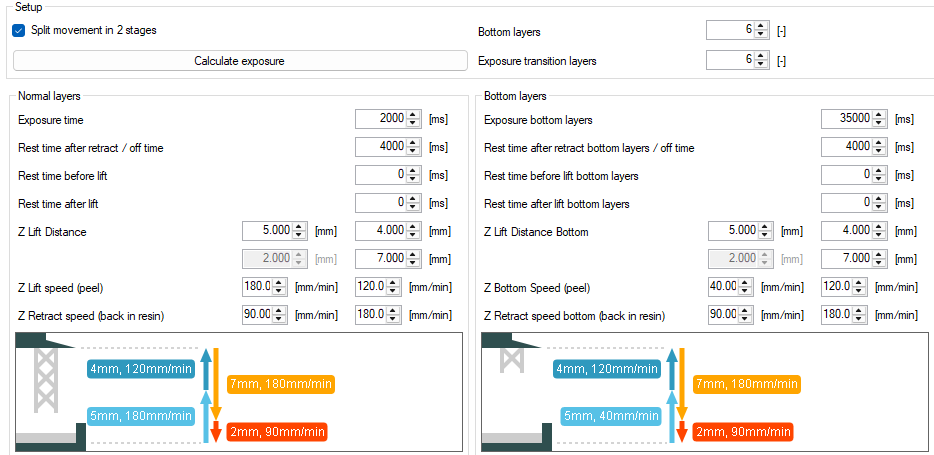
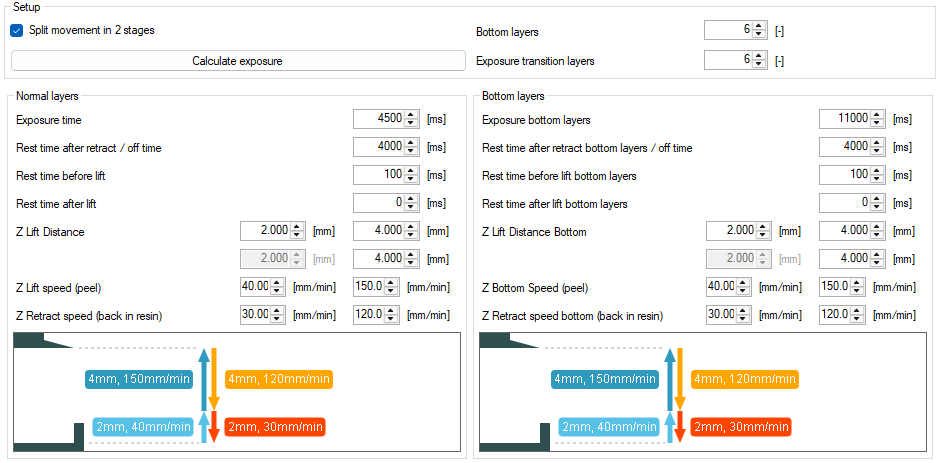
Just realised I can paste in here, so if it helps:
Default profile that works fine:
Modified profile that goes too low:
Hi Pat,
I have no idea either. These files are just binary files with all parameters written out in bytes… not really readable for the human eye.
Could it be the printer wasn’t homed yet and it couldn’t find it’s home sensor somehow?
If the problem still persists you can email me a correct file and a problematic file on our info address and I can take a look for you. Alternatively you can use a tool like UVTools on github to inspect the print parameters in these files.
kind regards
Elco
Thanks for the reply Elco. The sensor was fine, printer bleeps, light goes out as expected, plate raises again then lowers slowly…more bleep/light but kept going down regardless. Anyway, last night I copied the resin profile again, and tried it on the printer after every edit, and the problem did not appear again. Print fixed but mystery remains… Thanks for the utility link, very cool. Interestingly, the new good file opens fine, but the faulty file crashes the import with ‘System.OverflowException: Arithmetic operation resulted in an overflow’.
Cheers, Pat
Hi Elco,
Long time no speak… but this problem came back recently and has been driving me nuts.
So I’ve been experimenting (I won’t bore you with the entire list), and have now found how to consistently recreate the error. This is with version 1273 (it also happened on previous vers), Phrozen Sonic 8K S as the printer, prz output.
- Copy a print profile that works fine (eg the default Aqua Grey 8K after a fresh install)
- Change the new print profile to Override the default currency, and set to £/L.
That print profile now creates a corrupted .prz file which the printer accepts buts goes hard -Z when run, and crashes UVTools file open process (the latter is how I’ve been testing it for obvious reasons).
Once this has started happening, the other (good) print profiles can create corrupted files but seem to cheer up when Formware is restarted, although the ‘bad’ profiles remain bad.
Regards Pat
Hi Pat,
So you think it’s the pound symbol that is causing the issue? Some of the hardware boards only accepts ASCII characters.
If you want me to inspect a problematic file in UVtools or Formware; please sent me one over email or wetransfer. info at address.
kind regards
Elco
Hi Elco,
It seems like that to me…
I’ve emailed a ‘faulty’ .prz… If you would like anything else let me know 
Regards
Pat
Hi Pat,
I can confirm this is an ugly bug.
In short; the pound symbol is the problem. If you remove that it will be fixed.
In long; I assumed a certain method call in our code would output 1 byte per character. But it turned out in some cases like non ASCII characters; it still outputs multiple bytes per character. So UVTools crashes and the printer probably as well.
I’ll take it along with the next update of the software.
kind regards
Elco